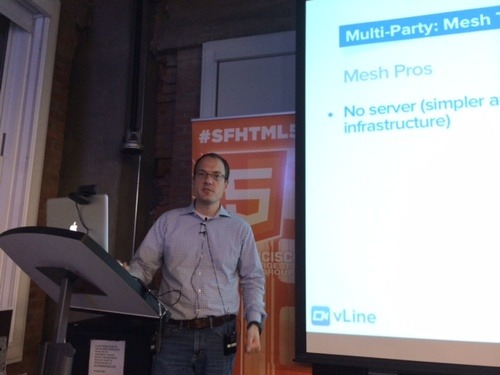
At the SFHTML5 All About WebRTC MeetUp earlier this week (that’s our CEO, Ben Strong, speaking at the event), one question kept coming up: If WebRTC is peer-to-peer, why do you need STUN and TURN servers?
WebRTC needs to work 100% of the time
WebRTC can be the communication promised land. What could be better than peer-to-peer video, audio, and data connections based on open source code?
Many developers have built WebRTC applications without STUN or TURN servers. And they work well. Most of the time. It’s the “rest of the time” that makes people take pause. Unless you know your WebRTC solution works in ALL situations, it’s hard to rely on it as your go-to system.
This is where the servers come in.
Connecting across networks? You’ll need a server.
WebRTC works brilliantly when connecting browsers within the same local network. But as soon as you start reaching outside your network – into a corporate firewall, for example – you’re going to need a little more, well, firepower.
Firewall configurations won’t let WebRTC in without using the STUN (Session Traversal Utilities for NAT) or TURN (Traversal Using Relays around NAT) protocol. This is why you’ll need a server.
STUN attempts to poke a hole in the firewall so your call can go through. This protocol does the trick a lot of the time. If a connection is made using STUN, you’ve established a peer-to-peer connection. This is great because a STUN-based connection is not CPU or network intensive for the server.
When STUN isn’t enough, the TURN protocol is required. When TURN is used, the connection is relayed through the server and it’s not peer-to-peer. The relayed connection uses both network and processing power on the server, which limits the number of connections that can be handled on a single server at one time. (And if you need a lot of connections, you’ll need a lot of servers.)
How does the system determine what’s needed?
ICE is the protocol followed for determining which path to use, from the least complicated: the host, used when the WebRTC connection is on the same local network, to progressively more complicated: STUN then TURN protocols, both of which require servers.
OK, so I need a server. What now?
If you’ve decided you want to use WebRTC and 100% reliability is what you need, you’re in server territory.
What’s important to consider when you think about your servers? We think you should have three priorities:
- Latency
- Backup and redundancy
- Load-balancing (network and CPU)
Several paths are available to build out your server infrastructure. Your appetite for which is best for you depends on your development skills, time, and budget.
Option one: AWS. Many details about using AWS, including some pricing implications, are outlined in our June post, Tunneling WebRTC over TCP (and why it matters). One thing to note about AWS is you can select your own priorities around latency and redundancy.
Option two: Open source TURN server. (One example can be found here.) Many purists determined to build their own solution will consider this path. It becomes your job to get the servers running in locations with low latency to all users (geographically distributed) and to make sure those servers can scale to handle the load.
Option three: vLine for developers. We’ve spent over two years focused exclusively on creating a WebRTC platform that works. 100% of the time. For those of you looking to add WebRTC-based functionality to your site, but want to spend your resources on the rest of your business – not keeping pace with the rapidly evolving WebRTC arena.
One quick way to get a sense of the quality of our platform is to use vLine link, which is based on the same global platform you can use for your solution.
We’re always happy to field questions. Please email us at [email protected] or find us @vlineinc.